


Quick Answer
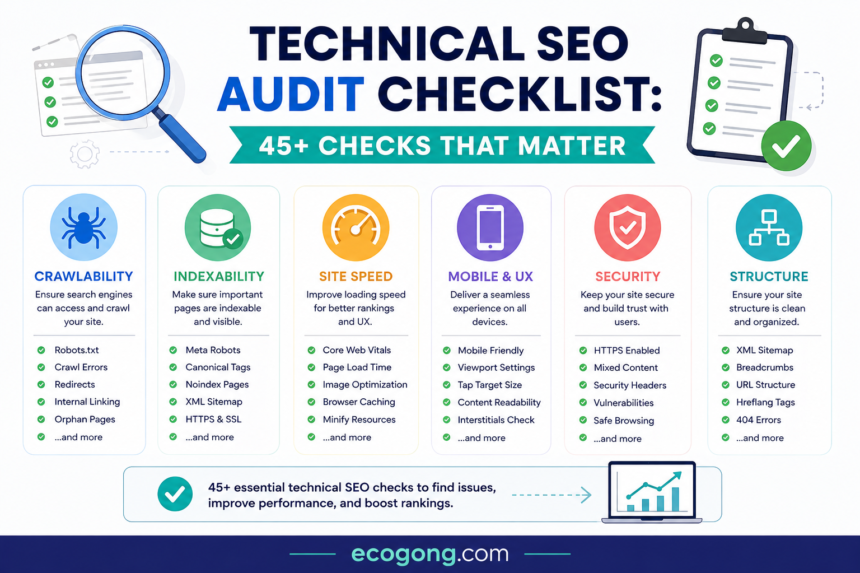
A technical SEO audit checks to search engines can crawl, understand, index and serve your website correctly. A good audit covers crawlability also indexing, robots.txt, XML sitemaps, redirects, canonical URLs, HTTPS, mobile usability, Core Web Vitals, JavaScript, structured data, internal links and HTTP errors. Now you can solve the issues that affect important pages first.
What Is a Technical SEO Audit?
Now, here technical SEO audit is a structured check of website that affect crawling, rendering, indexing, and access. It helps you find problems before they turn into lost traffic, poor user experience or messy site maintenance.
It is not the same as a content audit. A content audit asks whether a page is useful and relevant. A technical audit asks whether search engines and users can reach and process that page properly.
Google Search works through crawling, rendering and indexing. Google also notes that indexing is not guaranteed for every page. That is why technical SEO should remove barriers rather than promise rankings.
Now this type best audits, the most useful findings are often simple ones a template adds noindex to important pages, internal links point to redirects or a sitemap contains URLs that should never be indexed. The trick is finding the pattern behind the problem.
Why Technical SEO Audits Matter
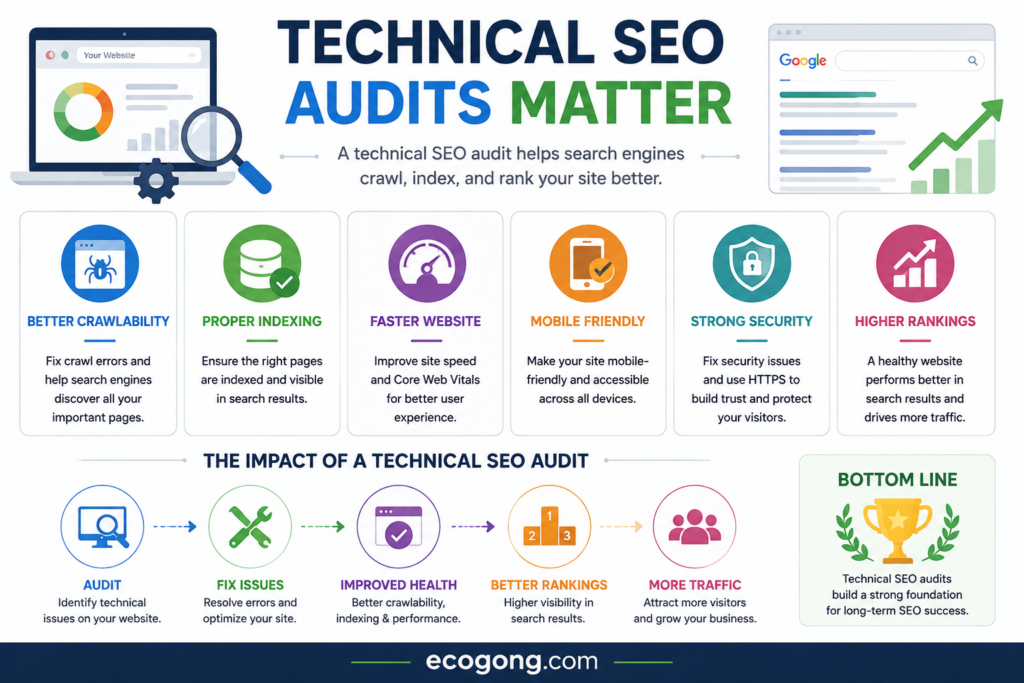
Here, One technical mistake can affect thousands of URLs. A bad robots.txt rule can block a whole directory. A broken product template can create the same canonical or indexing problem across every product page.
That is why I would not judge an audit by the number of errors in a crawler. I would judge it by whether the audit finds the few problems that can affect best pages.
A good audit connects technical findings with organic traffic, important landing pages, conversions also site architecture and recent website changes. This makes the report easier for both SEO teams and developers to act on.
Technical SEO Audit Checklist 2026
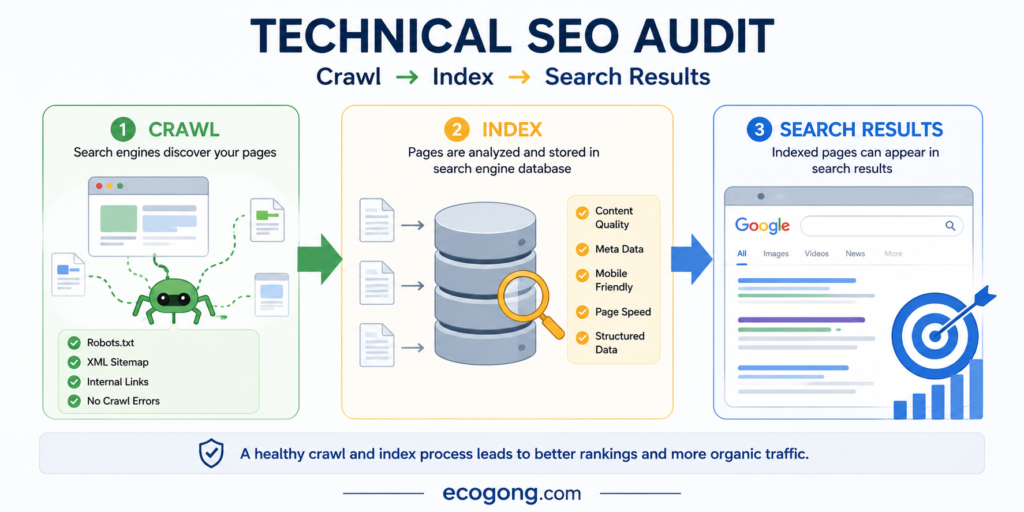
Now, you can Use this technical seo audit checklist as a working list. point on item only after you have checked the actual site, not simply because a tool shows a green or red status.
Crawlability
- Googlebot can access important pages
- robots.txt is valid and matches the current site structure
- best sections are not accidentally blocked
- Internal links use crawlable HTML links
- Important pages are not isolated
- Server errors are reviewed
- Faceted navigation does not create unnecessary URL combinations
Indexing
- Important pages can be indexed
- Unwanted pages use the right indexing controls
- Important pages do not have accidental noindex directives
- Canonical URLs are sensible
- Duplicate URLs are handled consistently
- Search Console indexing reports are reviewed
- Important pages fit the site’s preferred URL structure
Sitemap
- XML sitemap exists
- Sitemap contains preferred URLs
- URLs return successful responses
- Redirected URLs are removed
- Canonical URLs are used
- Sitemap is submitted and monitored in Search Console
- Sitemap errors are reviewed
Performance
- Core Web Vitals are monitored
- LCP is healthy
- INP is healthy
- CLS is controlled
- Images are sized and compressed
- Unnecessary JavaScript is reduced
- Server response time is monitored
Mobile
- Important pages work on smartphones
- Primary content is available on mobile
- Mobile and desktop contain equivalent important content
- Titles and descriptions are consistent
- Structured data is available correctly
- Navigation works on smaller screens
Technical foundations
- HTTPS works correctly
- HTTP redirects to the preferred HTTPS URL
- One preferred hostname is used
- Broken internal links are fixed
- 404 pages return the right status
- Redirect chains are limited
- Structured data is valid
- Important JavaScript content can be rendered
- International targeting works correctly where needed
Check Crawlability and Robots.txt
Crawlability means search engines can request and discover the pages you want them to know about. also this Start with robots.txt but do not stop there.
Robots.txt controls crawling. It does not act as a general index removal tool. A common mistake is to block a URL and then expect it to disappear from search. That can create a second problem because the crawler may no longer be able to see the page indexing signals.
Review best directories, wildcard rules, old migration rules also blocked resources and the sitemap location. Also check whether filters, internal search pages, tracking parameters or sorting URLs create large numbers of low value URLs.
What to check
- Important directories blocked by mistake
- CSS or JavaScript resources blocked unnecessarily
- Old rules left after a redesign
- Development or staging paths exposed publicly
- Parameter and filter URLs creating crawl waste
- Important pages discoverable through internal links
The goal is not to make Google crawl everything. The goal is to make valuable pages easy to discover while keeping unnecessary URL combinations under control.
Audit Indexing and Search Visibility
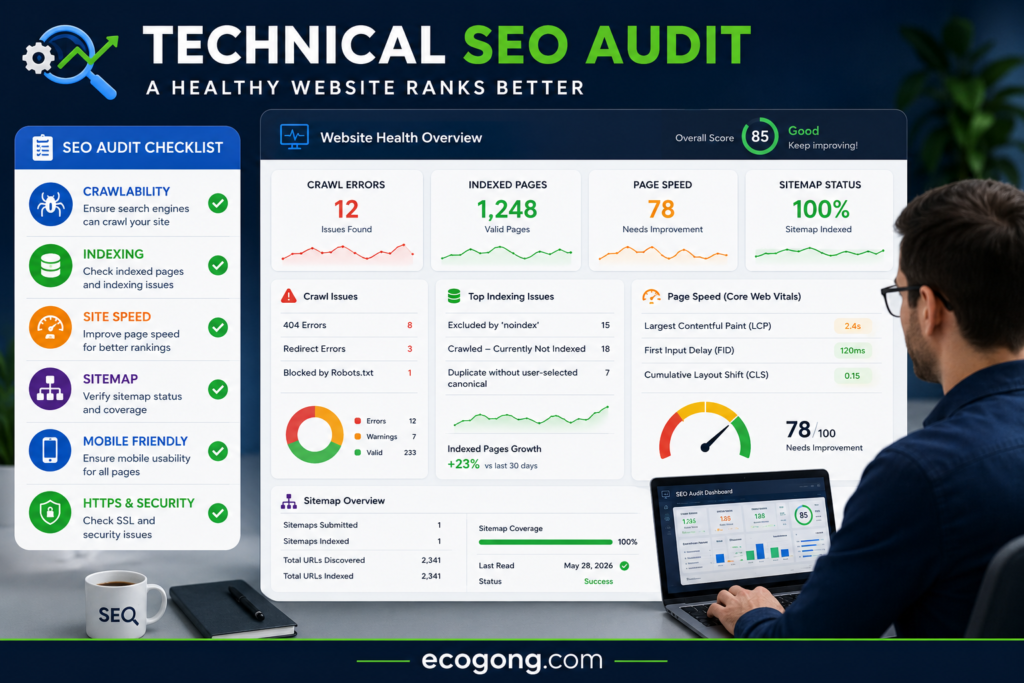
Now, Crawling and indexing are different. Google can fetch a page and still decide not to include it in the index.
Use Google Search Console to look for patterns in excluded URLs. If hundreds of product pages became excluded after a template change, inspect the template before checking those URLs one by one.
Check for
- Accidental noindex tags
- X-Robots-Tag directives
- Soft 404s
- Server errors
- Duplicate pages
- Wrong canonical selection
- Important pages blocked from crawling
Do not try to index every URL your CMS creates. Focus on pages that provide real value and deserve search visibility that is best for you.
Audit Your XML Sitemap
Think of your XML sitemap as a clean list of URLs you want search engines to consider. It should not be a dump of every URL your CMS has ever created.
Google recommends absolute URLs in sitemaps and generally recommends including the canonical URLs you want see in Search. also sitemap can contain up to 50,000 URLs or 50 MB uncompressed per file; larger sites can split them into multiple files.
Your sitemap should contain
- Preferred canonical URLs
- Public pages you want indexed
- URLs that return a successful response
- Stable URLs that users can access
Avoid adding
- 404 URLs
- Redirected URLs
- noindex pages
- Duplicate URLs
- Blocked URLs
- Temporary test URLs
For large sites, split sitemaps by content type when that makes monitoring easy.
For example, separate product, category, blog and page sitemaps can help you spot problems fast.
Audit URLs and Canonical Tags
URL consistency is easy to overlook. Check one page can appear through several versions, also like as HTTP and HTTPS, www and non-www or trailing slash variations.
A canonical tag tells search engines which URL you prefer for a group of similar pages. It is a strong signal, but it is not an absolute command.
Look for
- Canonical points to a 404
- Canonical points to a redirect
- Canonical points to an unrelated URL
- Conflicting canonicals across similar pages
- HTTP and HTTPS versions disagree
- Internal links use non-canonical URLs
- Sitemap URLs disagree with canonical URLs
The helpful test is not just ‘Does this page have a canonical?’ Ask whether your canonical, sitemap, redirects and internal links all point toward the same preferred URLs.
Check Redirects and HTTP Status Codes
All useful URL should return a deliberate status code.
| Status | Meaning | Typical action |
| 200 | Page works | Usually expected |
| 301 | Permanent redirect | Use for a permanent URL move |
| 302 | Temporary redirect | Use when the move is genuinely temporary |
| 404 | Not found | Keep, fix, or redirect when useful |
| 410 | Gone | Use when removal is intentional |
| 500 | Server error | Investigate quickly |
Please not treat every 404 as an emergency. A dead old URL with no links, traffic, or useful history may be fine. A 404 linked from your main navigation is a different story.
Also, you look for redirect chains such as A → B → C. When possible, point A directly to C. Then update your own internal links so they point to the final URL.
Audit Website Speed and Core Web Vitals
Technical SEO is also about the experience people get after they click your result. Core Web Vitals measure loading also responsiveness and visual stability.
The current Core Web Vitals are LCP, INP and CLS. Google recommends looking at real-user data when possible, because lab tests do not represent every visitor.
Check
- Large images
- Slow server responses
- Heavy JavaScript
- Third-party scripts
- Poor caching
- Unused code
- Layout shifts
- Slow mobile templates
You not spend hours chasing a perfect PageSpeed score. Start with important pages and the biggest bottleneck. and more large hero image on a high traffic landing page may deserve attention before a small code warning that affects almost nobody.
Audit Mobile SEO
Google uses the mobile version of a site content for indexing and ranking. That makes mobile testing a core part of a technical audit.
Also, Open Best pages on a real phone. Check them like a normal visitor not like an SEO.
Look for
- Missing main content
- Broken navigation
- Hard-to-tap buttons
- Horizontal scrolling
- Slow loading
- Intrusive pop-ups
- Missing structured data
- Different titles or descriptions
- Images that fail to load
A responsive theme helps, but it does not prove that the mobile experience works. Test important templates, especially product, service, category and checkout pages.
Audit JavaScript SEO
Now, JavaScript can improve a site but it can also hide content or links when the implementation goes wrong.
Google processes JavaScript through crawling, rendering and indexing. Google also notes that server side or pre-rendering can make pages faster for users and crawlers and not every bot can run JavaScript.
Check
- Important text appears in the rendered page
- Navigation links are discoverable
- Product or service details load correctly
- Canonical tags remain correct
- Robots directives are correct
- Internal links appear after rendering
- Error pages return the right status
Single-page applications deserve extra testing. A page can look like a 404 to a visitor while still returning HTTP 200. That soft 404 setup can confuse search engines and analytics.
Review Internal Links and Site Architecture
Internal links help users move around your site and help search engines discover relationships between pages.
Start with important pages. Ask how many clicks it takes to reach them and whether relevant pages link to them naturally.
Audit
- Broken internal links
- Orphan pages
- Deep pages
- Links to redirects
- Links to non-canonical URLs
- Weak or generic anchor text
- Important pages with very few internal links
An orphan page has no meaningful internal links pointing to it. It may still get indexed through a sitemap or external link but it deserves a closer look. and your site never links to a page ask whether the page is really part of the site important content.
Do not force every page to be one click from the homepage. Build a structure that makes important pages easy to find and gives users a logical next step.
Check Crawl Budget and Server Logs
This is best and useful for large websites. A crawler shows what a tool can find. Server logs show what bots actually requested.
Look for repeated bot requests to filters, tracking URLs, redirects, 4xx pages, or low-value archives. Then compare that behavior with how often important pages get crawled.
Questions to ask
- Which URLs does Googlebot request most?
- How many requests hit redirects?
- How many hit 4xx or 5xx responses?
- Are parameter URLs consuming crawl activity?
- Are important pages being crawled?
- Are bots spending time on pages that cannot rank?
Do not invent a magic crawl budget number. now, use logs to find waste and unusual patterns. That evidence is far more useful than guessing.
Audit Mobile Performance and Core Templates
For large sites, technical seo audit checklist templates instead of checking only individual URLs.
If 8,000 product pages share one template, a single template change can improve or damage thousands of pages at once.
Look for common causes of slow LCP, poor INP and CLS. Then test the template on real mobile devices and with field data where available.
Check HTTPS and Security
Your version should be clear and reliable.
- HTTP redirects to HTTPS
- The preferred hostname is consistent
- SSL certificates work
- Mixed content is removed
- Canonical URLs use HTTPS
- Important pages do not return server errors
- Staging and development environments are protected
Watch for messy chains such as HTTP → HTTPS → www → another redirect. A simple setup usually gives users and crawlers a cleaner path.
Audit Structured Data
Structured data gives machines extra context about a page. It can describe things such as articles also products, breadcrumbs, organizations, events and recipes.
Do not add schema simply to tick a box. Check whether the structured data matches what the visitor can actually see.
Check
- Correct schema type
- Valid JSON-LD
- Accurate names and URLs
- Correct dates
- Real author information
- Consistent product details
- Breadcrumb data
- Mobile and desktop consistency
A best question is: ‘If a machine read this page’s visible content and structured data, would both tell the same story?’ If not, fix the mismatch.
Audit International and Multilingual SEO
International sites add another layer of technical risk. Check each country and language version instead of assuming one setup works everywhere.
- hreflang relationships
- Canonical URLs
- Language URLs
- Internal links
- Sitemaps
- Redirects
- Localized duplicates
- Country targeting
Avoid automatic country redirects that make alternate versions hard to reach. Users should be able to access the version that makes sense for them.
Audit Images and Media
Images can both performance and accessibility problems.
- Correct file sizes
- Responsive image handling
- Useful alt text
- Stable image URLs
- Supported formats
- No broken images
- No unnecessary duplicate assets
Write alt text for people who need a text alternative. Do not turn it into a keyword list.
Audit Templates, Not Just URLs
This is one of the biggest practical lessons from real technical audits.
Suppose you find 6,000 wrong canonicals, 5,500 duplicate headings and 4,800 missing descriptions. Do not create thousands of separate tickets before asking why.
There may be one product template, CMS rule, plugin, or deployment change behind most of them.
Group findings by template: homepage, product, category, service, blog, author, archive, search, and location pages. Then fix the source when the pattern is clear.
This idea saves developer time and makes your audit much easier to explain.
A Practical Technical SEO Audit Template
Use this technical seo audit template to turn findings into actual work.
| Area | Finding | Affected pages | Impact | Effort | Priority | Owner | Verification |
| Indexing | Accidental noindex | 4,200 | High | Low | P0 | Developer | Recrawl + GSC |
| Canonical | Wrong product canonical | 8,000 | High | Medium | P1 | Developer | Crawl |
| Internal links | Links point to redirects | 1,200 | Medium | Low | P2 | SEO | Recrawl |
| Performance | Slow product template | 6,500 | Medium | High | P2 | Developer | Field data |
| Sitemap | Redirected URLs | 600 | Medium | Low | P2 | SEO | Sitemap check |
| Schema | Missing product data | 2,000 | Medium | Medium | P2 | Developer | Validation |
| 404s | Broken internal links | 47 | Low/Medium | Low | P3 | Content | Crawl |
This format gives the development team the four things it needs like what is wrong, where it happens, why it matters and how to confirm the fix.
How to Prioritize Technical SEO Problems
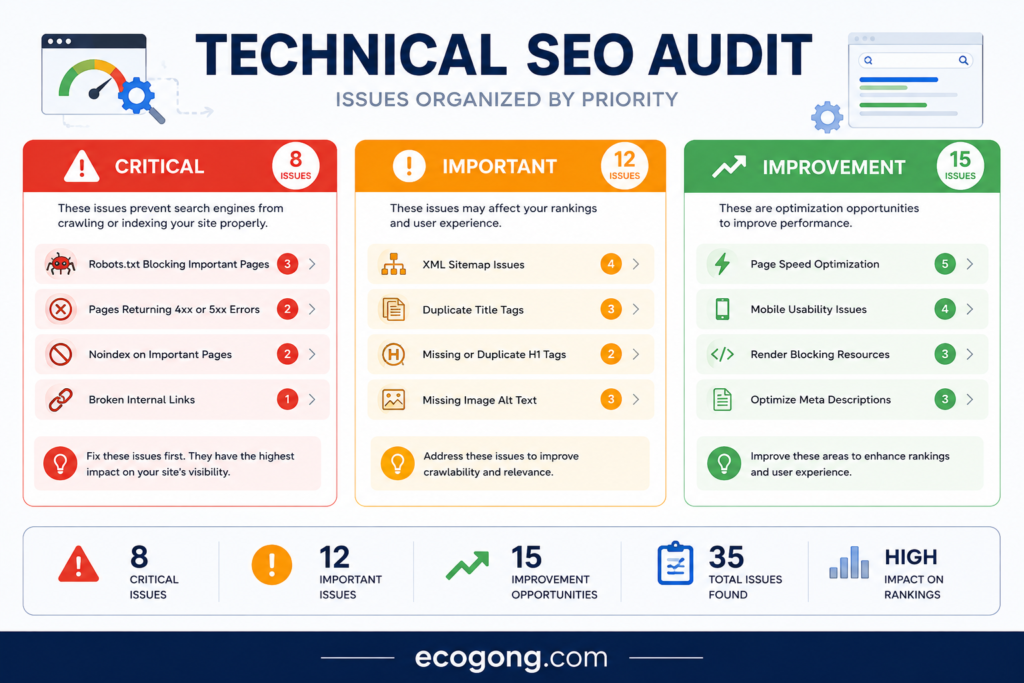
Not every warning deserves developer time. I use a simple test like impact, scale, business value and effort.
P0 — Critical
- Important pages blocked
- Important pages accidentally noindexed
- Major server failures
- Serious migration problems
- Broken HTTPS setup
P1 — High
- Wrong canonicals across important templates
- Large redirect problems
- Major internal-link issues
- Indexing problems on revenue pages
P2 — Medium
- Template-level performance issues
- Sitemap cleanup
- Orphan pages
- Mobile issues that affect important templates
P3 — Low
- Minor metadata issues
- Small image improvements
- Low-impact warnings
- Cosmetic cleanup
A useful internal formula is: Impact × affected pages × business importance ÷ effort. It is not a Google formula. It is simple a practical way to stop a long audit report from becoming a long list of low value tickets.
Verify Every Important Fix
A fix is not complete because a developer says it shipped.
You are Recheck the URL, crawl the affected template, inspect important pages in Search Console and monitor the relevant data after deployment.
Use this sequence
- Test the affected URL
- Crawl the affected URL group again
- Inspect important URLs in Search Console
- Check server logs when the change affects crawling
- Monitor impressions, clicks, indexation, and conversions
Some fixes remove technical barriers than create an instant ranking jump. Give search engines time to recrawl and process the changes.
Common Technical SEO Mistakes
Fixing warnings instead of problems
A tool warning is a clue not a business priority. Check whether the problem affects valuable pages.
Treating every 404 as urgent
Prioritize 404s that have internal links, traffic, backlinks or business value.
Ignoring server logs
Big sites can hide important crawl patterns that a normal crawler cannot show.
Auditing only desktop
Google uses the mobile version for indexing, so mobile content and functionality deserve real testing.
Adding schema without checking the page
Structured data should match the visible content.
Fixing URLs instead of templates
If thousands of pages share an problem, find the system creating it.
Stopping after the report
An audit becomes useful only when someone fixes and verifies the important findings.
Expert Tips for a Better Audit
Audit before and after major changes
Keep a simple change log with the date, change, affected templates, reason, expected result and actual result. also makes traffic drops and indexing problems much easier to trace.
Inspect a sample manually
Automation finds patterns. Human review catches things a crawler cannot judge well, such as confusing navigation, broken conversion paths, or content that technically loads but feels wrong.
Compare important pages with average pages
Do not audit only the homepage. Pick a few pages from every major template and compare their status, canonical, links, content, structured data and performance.
Keep the audit readable
A developer should not need an SEO dictionary to understand your report. Write the problem in plain English, give an example URL, explain the impact and state the fix.
Re-audit after major changes
- Migrations
- CMS changes
- Redesigns
- Domain changes
- URL restructuring
- Major JavaScript changes
- International expansion
Frequently Asked Questions
What is a technical SEO audit?
A technical SEO audit checks whether search engines can crawl, render, understand, and index a website correctly. also usually covers crawling, indexation, URLs, redirects, sitemaps, performance, mobile SEO, JavaScript, structured data and site architecture.
How often should you perform a technical SEO audit?
Monitor important technical issues continuously and run a deeper audit at least once a year or after major changes. also Migrations, redesigns, CMS changes, domain moves, and large URL changes deserve an audit sooner.
What is the most important part of a technical SEO audit?
Start with crawlability and indexation. If important pages cannot be crawled or indexed, other SEO improvements may not reach their full value.
What tools can I use for a technical SEO audit?
Google Search Console is a core starting point.
Is technical SEO still important in 2026?
Yes. Search engines still need to discover, crawl, render, understand, and index web pages. The technical basics remain important even as search interfaces change.
Does a sitemap improve rankings?
A sitemap can help search engines discover URLs, but it does not guarantee rankings or indexation.
Should every page have a canonical tag?
Canonical tags can help when duplicate or similar URLs exist. The bigger goal is consistency between canonical tags, internal links, redirects and sitemaps.
Can technical SEO fix a traffic drop?
Sometimes. Technical issues can remove important pages from search or make them harder to crawl. also, traffic can also change because of demand, competition, content quality or other ranking factors.
Is Core Web Vitals the same as technical SEO?
No. Core Web Vitals are one part of technical and page experience work. Technical SEO also covers crawling, indexation, URLs, redirects, sitemaps, JavaScript, mobile SEO and site architecture.
What should I fix first during an audit?
Fix issues that block important pages from crawling or indexing. Then address major server, canonical, redirect, mobile and performance problems before smaller warnings.
Final Words
A technical SEO audit checklist should do more than create a list of warnings. It should help you understand what is wrong, why it matters and what to fix first.
Start with the pages that matter many to the business. Check whether users and search engines can reach them, whether they render correctly, and whether the preferred URL is clear and whether the page can enter the index.
Then look at the systems behind those pages. If 5,000 URLs have the same problem, find the template or CMS rule instead of fixing them one by one.
The strongest audits combine crawler data, Google Search Console, real browser testing, server evidence and human judgment. They also verify the work after deployment.
My recommendation is simple: use this technical seo audit checklist as a recurring framework but treat it as a decision tool rather than a scorecard. Fix the problems that affect important pages first, document what changed and recheck the site after many technical releases.