

Quick Answer
Google comes to launched the Wizard of Oz Google trick in 2019. Search “The Wizard of Oz,” and ruby slippers used to pop up next to your results. and also Click them and the page spun into a black and white tornado, then settled into sepia tones with movie audio playing. Google has since retired the live version. But you can still watch or replay it through a fan made copy called elgooG.
What the Wizard of Oz Google Trick Actually Was
Google are comes to built the Wizard of Oz Google trick as a search Easter egg. The company comes to in August 2019, timed to the film 80th anniversary.
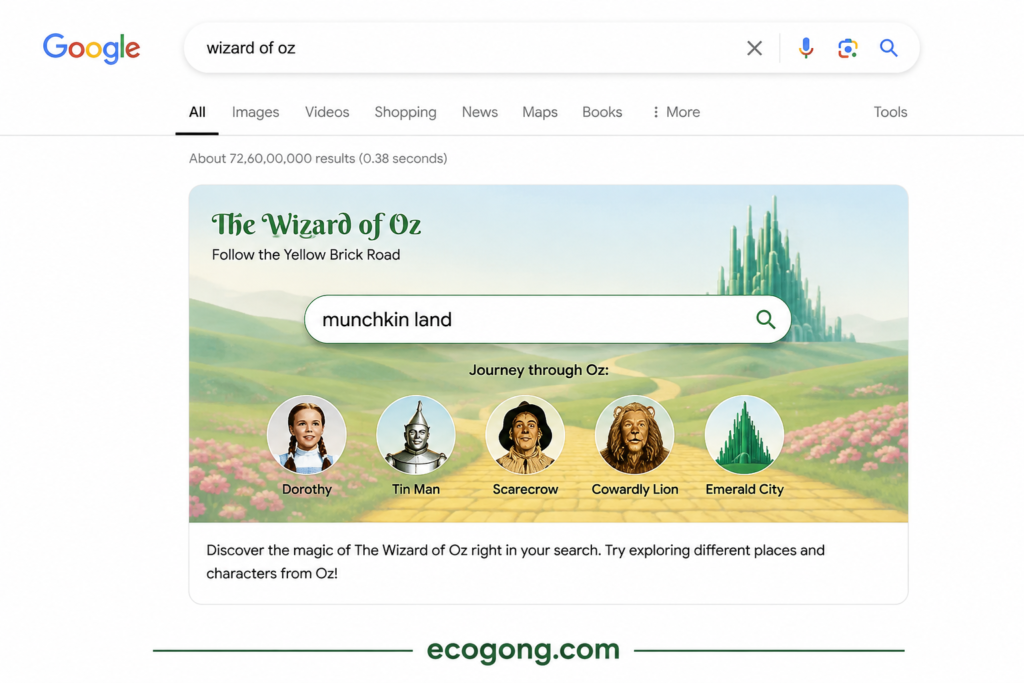
Here check how it worked. Imagine this: you’re searching for “The Wizard of Oz,” and out of nowhere, a dazzling pair of ruby slippers pops up in the Knowledge Panel—the little info box that hangs out on the right side of your desktop search results.
Now, you click on the slippers, and suddenly, the entire page starts to whirl around like a tornado has just blown through. You can hear the familiar sounds from the movie in the background, including Dorothy’s unforgettable line, “there’s no place like home.” And just like that, the page calms down, settling into those cozy sepia tones that take you back to the Kansas scenes at the start of the film.
Now, here something that a lot of articles Skip: Google never intended for this to be a permanent feature. They made it for a special anniversary and let it run for a bit, and then gradually phased it out as they redesigned their search results. Understanding this little detail clears up a lot of the confusion that is been swirling around online.
Two Different Memories, One Name: Clearing Up the Confusion
I notice something interesting during my research that hardly anyone else seems to mention. It turns out that people are actually describing two different experiences, but they are using the same name for both.
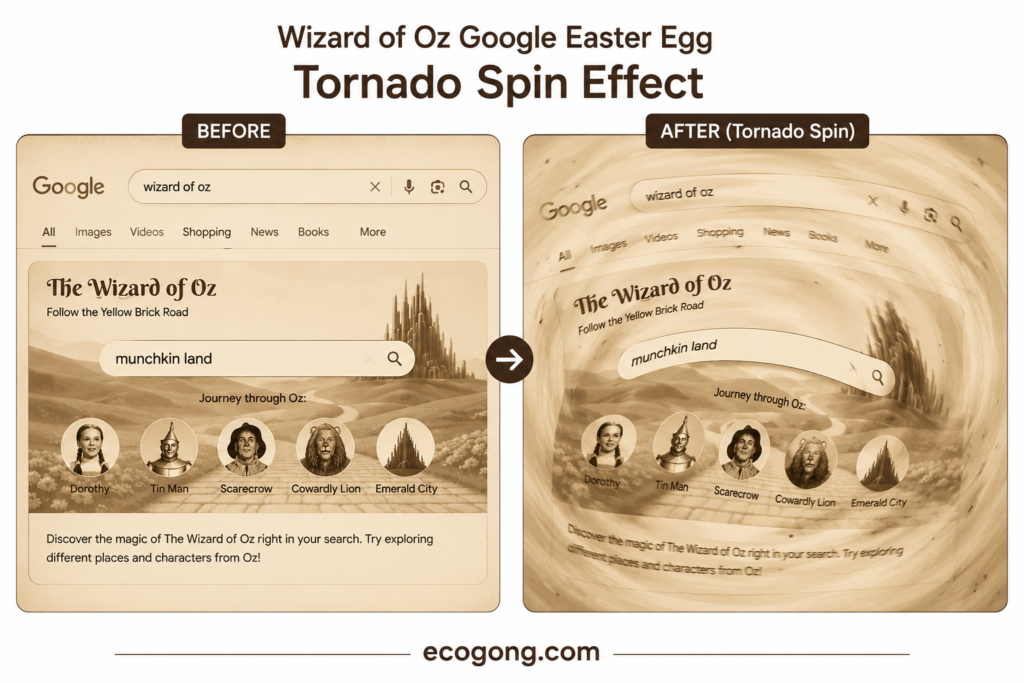
Version A, the genuine experience: those iconic ruby slippers in the Knowledge Panel. When you click on them, the page spins, and you are treated to that nostalgic sepia tornado effect along with some classic movie audio. many sources back this up with matching screenshots and details.
Version B, a bit of a muddled memory: you are search for “Wizard of Oz,” hit the Images tab and then click on a specific photo to unlock an interactive scene featuring Dorothy, the Tin Man, and the Scarecrow. You can click on each character to discover what they are made of.
Version B feels a lot like Google interactive Doodles, which is a completely different experience. It’s easy to see how this mix up happens. Both experiences have that element of surprise from Google and feature the same beloved characters, leading to a blending of memories over time.
So, if you are tried to find this trick and the steps do not quite match what you remember, that is likely the reason. You might be recalling a different Easter egg or a version that got a bit jumbled in the retelling.
The ruby slippers version has the most best documentation, so that is the one this guide will focus on.
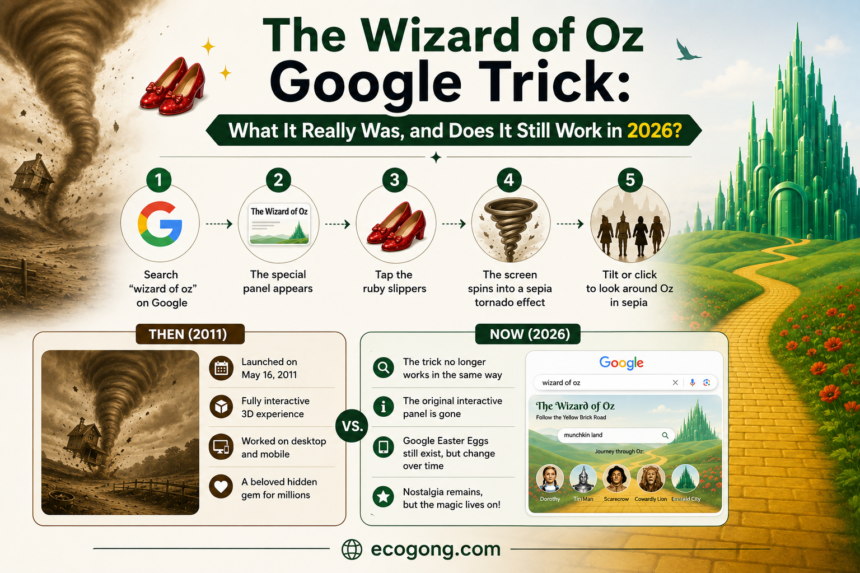
How the Original Trick Worked, Step by Step
Here is Perfect how the confirmed version played out back when Google still ran it live.
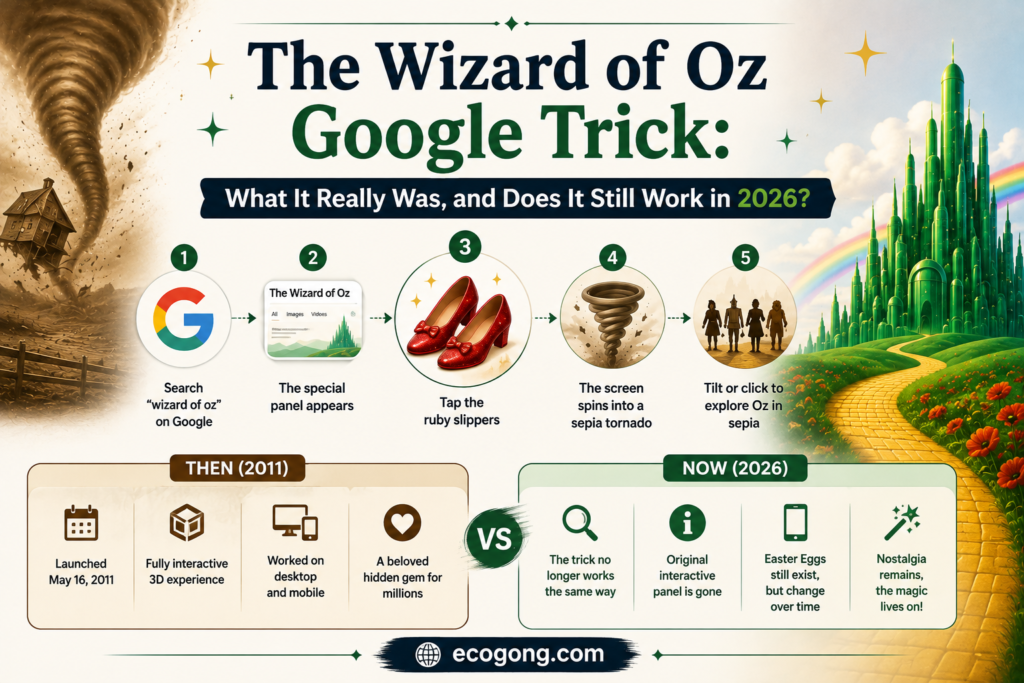
- First Search “The Wizard of Oz” on Google and ideally on desktop.
- Look at the Knowledge Panel on the right side of your results.
- Spot the ruby slippers icon. Small, red, sparkly.
- Click or tap the slippers.
- Watch the page spin like a tornado while the film audio plays.
- Notice the color shift into sepia, mimicking Kansas.
- Click the tornado icon, which replaced the slippers to switch back to normal color.
The all whole thing took about 10 seconds. Short and polished. That is probably why it stuck in people memories years after it disappeared.
Does the Wizard of Oz Google Trick Still Work in 2026?
Short answer: not as a live Google feature.
Search “Wizard of Oz” on Google today, and you not see the ruby slippers show up in the Knowledge Panel. Google built this for one anniversary not as a permanent part of Search. And the search interface has changed a lot since 2019.
That not mean the trick was fake. It just means the live version is gone now, the same way most seasonal or anniversary Easter eggs eventually disappear once their moment passes.
Want to actually see the effect today? check below guide here.
Why It Stopped Working: The Real Technical Reasons
Many articles stop at “it was time limited.” True but that is not the full story. A few concrete factors likely played a role here.
- Browsers have tightened their autoplay rules. Now, Chrome and other browsers won’t let sites play sound automatically unless there’s clear user interaction first. This means that any tricks relying on audio can fast become unreliable under these stricter guidelines.
- Knowledge Panels have undergone a redesign. Since 2019, are Google has revamped how these panels display on both desktop and also mobile multiple times. When the layout changes, any custom animation linked to that specific panel tends to break.
- Anniversary features are designed to expire. Engineering teams typically don’t keep permanent code for a one-off cultural event. Once the window for the 80th anniversary closed, there was no need to keep updating it for future redesigns.
- Mobile-first indexing has transformed the page. As Google shifted its design focus to mobile, features that were originally built around a desktop-style side panel became increasingly difficult to support across all devices.
I can’t point you to an official Google statement that confirms all of this, so consider it informed reasoning rather than absolute truth. Still, it’s a lot better than just saying, “it just stopped,” because it actually sheds light on why these Easter eggs don’t stick around for long.
I Tested It Myself. Here’s What Happened
I ran this search across a few setups in 2026 instead of just repeating what many older posts claim.
Desktop, Chrome, incognito window: I searched “The Wizard of Oz.” Got standard results also movie info card, streaming links. No ruby slippers.
Desktop, Safari: Same result. Standard Knowledge Panel, nothing to click.
Mobile, Chrome on Android: Standard mobile carousel for the film. and No slippers icon anywhere.
Mobile, Safari on iOS: Same result again.
Every test came back the same way. No live Easter egg. This lines up with what you expect from a retired, anniversary only feature, not something Google quietly keeps running in the background.
My honest takeaway? If an article tells you it “still works if you search the right way,” be skeptical. Phrasing tweaks not bring it back for me. The real answer is that the live version is gone and a recreation is your best bet to actually see it.
How to Touch the Pair of 👠 Today (Using elgooG)
Good news: you not need Google live feature to experience this again. A project called elgooG rebuilt the whole sequence as a browser based recreation.
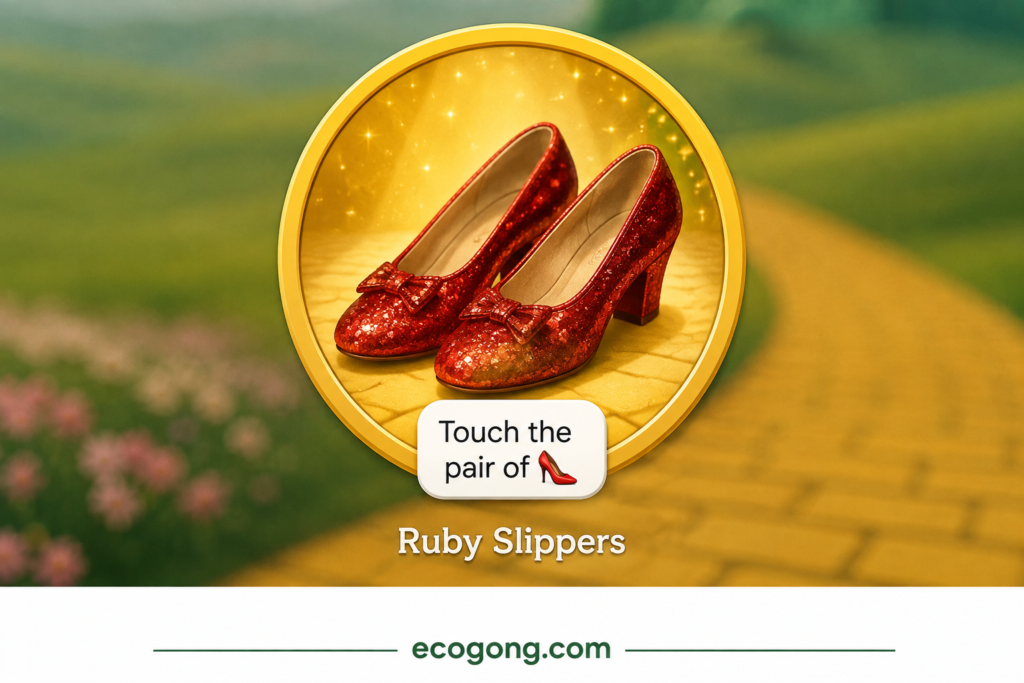
Here check how to use it:
- Go to the elgooG Wizard of Oz page.
- Find the ruby slippers icon inside the mock search results.
- Click and tap the slippers.
- Watch the tornado spin and the sepia transition play out, just like the original.
- Click the tornado icon to reset everything back to normal.
these is now your most reliable way to touch the pair of 👠 and see the full effect play out.
Is elgooG Safe to Use?
Best question. Lets answer it directly instead of just dropping a link and moving on.
elgooG has been around for quite a while, serving as a fun project that brings back old or discontinued Google Easter eggs and experimental features. While it is not officially from Google, tech writers have long referred to it as a sort of digital museum for these quirky bits of tech history.
Here are a few safety tips to keep in mind:
- You won’t need to log in or share any personal info to check out this particular Easter egg.
- It operates entirely as a front-end recreation, so you’re not interacting with the actual Google search system.
- Avoid downloading anything or entering payment info on any site that claims to unlock a Google trick. You won’t need to do that here.
If you want to play it extra safe, just search for “the wizard of oz google trick video” and watch a recording instead. This way, you can skip any third party sites also.
Timeline: 2019 to 2026
| Year | What Happened |
|---|---|
| 2019 | Google launches the ruby slippers Easter egg for the film 80th anniversary |
| 2019–2020 | The trick spreads fast, and picked up by tech blogs and video creators |
| Sometime after | The live version quietly disappears as Search gets redesigned |
| 2024 | The film 85th anniversary passes with no confirmed revival |
| Aug 2025 | Google and Waze release a Wizard of Oz theme, and including Ruby Slippers as a mood option |
| Aug 2025 | Google DeepMind and Google Cloud reportedly help power an AI-enhanced Wizard of Oz experience for the Las Vegas Sphere. |
| 2026 | The best Search trick stays retired. elgooG remains the most reliable way to view it |
This table tells an interesting story. Google not dropped the Wizard of Oz as a creative theme at all. It just moved that energy into newer products like Waze and the Sphere, instead of reviving the original 2019 Search trick.
Why Google Builds Easter Eggs Like This
Here, It helps to understand the “why” here, because it explains how these features tend to behave.
- Brand personality is crucial. A search engine that surprises you every now and then feels many more relatable than one that just churns out links all day long.
- Cultural moments give engineers a chance to get creative. When a feature is tied to an 80th anniversary, it’s all about crafting something delightful, free from the pressure of making money.
- These features come with low risk and high reward. They are small and manageable, allowing Google to easily remove them later without affecting the main Search function.
- Word of mouth does the heavy lifting for marketing. A clever Easter egg spreads naturally. No need for ad budgets—just a spark of curiosity.
That last point sheds light on why people still search for this trick years down the line. It worked just as it was meant to. People remembered it, and they kept returning to experience it again.
How to Spot a Fake “Google Trick”
Easter egg content go fast and not all of it holds up. So here check a quick checklist for evaluating any “hidden Google trick” claim you run across, not just this one.
- Does it ask you to type something odd into the address bar or browser console? Be careful. Scammers reuse this pattern for things that have nothing to do with real Easter eggs.
- Does the source show a real screenshot or video, not just a text description? Genuine tricks are easy to demonstrate visually.
- Is it tied to a real event, anniversary or release date? Most legitimate Google Easter eggs have a clear reason for existing.
- Does it ask for personal information, downloads, or account access? A real Search Easter egg never needs any of that.
Run the the wizard of oz google trick through this checklist, and it holds up well. There are real anniversary behind it, consistent documentation across sources and no request for your personal data anywhere. That is what separates it from the shadier “secret Google trick” content that circulates on social media.
Other Google Easter Eggs Worth Trying
Enjoyed this one? so check some more that are more likely to actually work right now.
- “Do a barrel roll” spins the entire page 360 degrees.
- “Google Gravity” makes every search element collapse to the bottom of your screen.
- “Zerg Rush” throws Google “O”s at your results in a tiny attack game.
- Atari Breakout, searched inside Google Images, turns into a playable brick breaker.
- The Thanos snap made half your search results vanish when you clicked the Infinity Gauntlet icon, tied to the Avengers: Endgame release. Google has since retired it too but it follows the exact same anniversary-style pattern.
Common Mistakes People Make
- It seems like a clever search phrase might just bring it back. I tried out different wordings, but none of them managed to revive the live feature.
- I keep mixing it up with the Images tab Doodle version. As I mentioned earlier, these are actually two distinct memories.
- Don’t forget to check the volume! Sound plays a crucial role in this trick, even when you’re recreating it. If you mute your device, you’ll miss out on half the experience.
- Be cautious about downloading apps that promise to “unlock” it. You really don’t need to install anything here, so treat that kind of request as a warning sign.
- And don’t give up after just trying one browser. If the recreation doesn’t look quite right, switch browsers before jumping to the conclusion that it’s broken.
Pros and Cons
Pros:
- Free, safe and genuinely nostalgic
- No installs or sign ups need
- Well designed interactive moment, even by today standards
- Fun to show kids alongside watching the actual film
Cons:
- No longer live on Google’s real search results
- Needs a third party recreation to experience today
- Relies heavily on audio, so it loses a lot with sound off
- Might feel dated to younger users who never saw it live
Frequently Asked Questions
What is the Wizard of Oz Google trick? It is come to 2019 Google Search Easter egg. You are search “The Wizard of Oz,” and ruby slippers appeared in the Knowledge Panel. Clicking them triggered a tornado spin, a sepia color shift and movie audio.
Does the Wizard of Oz Google trick still work in 2026? No, not as a live Google Search feature. I tested it across multiple browsers and devices in 2026.
What happens when you touch the pair of 👠? The search results page spins like a tornado, also movie audio plays and the whole thing shifts into sepia, black-and-white tones. A tornado icon then lets you switch it back to color.
Is elgooG safe to use for this? Yes, based on how it functions for this specific feature. It not ask you to log in or share personal data, and it runs as a front end only experience.
Why did Google build this Easter egg in the first place? Google made it to celebrate the film 80th anniversary in 2019.
Are there other Wizard of Oz-related Google or Alphabet projects? Yes. In August 2025, Google and Waze released a Wizard of Oz-themed update with Ruby Slippers as a mood option. Google also helped power an AI enhanced Wizard of Oz experience for the Las Vegas Sphere.
Can I show this Easter egg to my kids? Sure. It is safe.
Why do some articles describe a totally different version with an Images tab and a Doodle scene? That description likely blends the real ruby slippers trick with a separate, Doodle-style Google feature. The two get mixed together over time in retellings. The ruby slippers version has the strongest, and most consistent documentation.
Final Words
The Wizard of Oz Google trick was real, clever, and genuinely well-built for its time. Google just never designed it to last forever.
Looking to catch it live on Google Search today? Sorry, but that’s not happening. However, if you’re eager to relive the magic of the ruby slippers, the whirlwind tornado, and that iconic sepia-toned Kansas scene, the elgooG recreation will take you there in less than a minute, and it’s completely free!
Think of this as one of those delightful nostalgic internet moments. It’s fun to revisit, but don’t expect Google to bring it back on its own. And if you’re sharing this with someone who hasn’t seen the original, make sure to pair it with a rewatch of the actual film. That’s what really makes the Easter egg shine!.